
Install Free SSL at Namecheap SSH (acme.sh)
Setting up a free SSL certificate via SSH may be a bit of a challenge initially, but with utilities such as acme.sh and Let’s Encrypt, it becomes straightforward and trustworthy. Here, you will find all the instructions you need if you are a user of cPanel hosting at Namecheap, and this will help you to create and put in place SSL on your own at the same time giving you complete control. After it has been set up, your certificate will be renewed automatically, and you, therefore, receive security for a long time without any continued work on your part.
Installing a free SSL certificate manually using SSH gives you full control and works perfectly on Namecheap cPanel hosting. This guide uses acme.sh with Let’s Encrypt.
Requirements
Before you begin, ensure:
- Your domain is pointed to your Namecheap hosting
- SSH access is enabled in cPanel
- Website is accessible via HTTP (not forced HTTPS yet)
- Port 80 is open
Step 1: Login to SSH
Connect using Terminal or PuTTY.
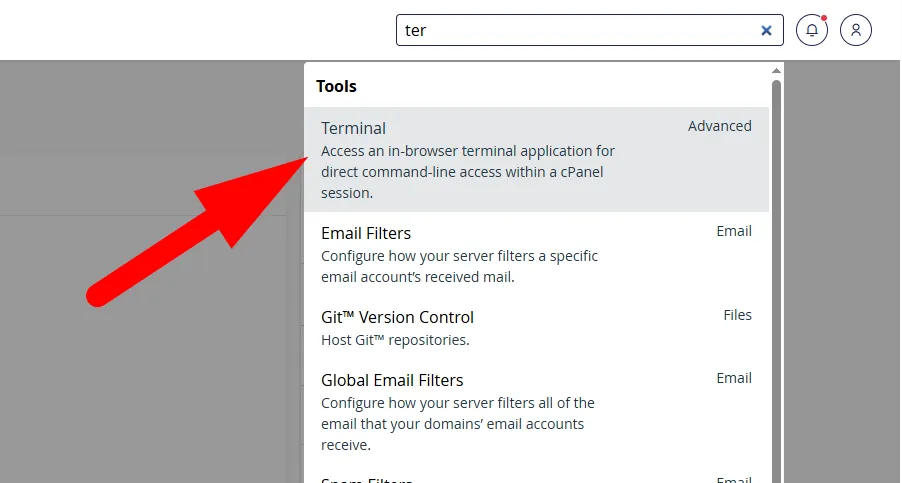
Step 2: Install acme.sh
Run:
curl https://get.acme.sh | sh
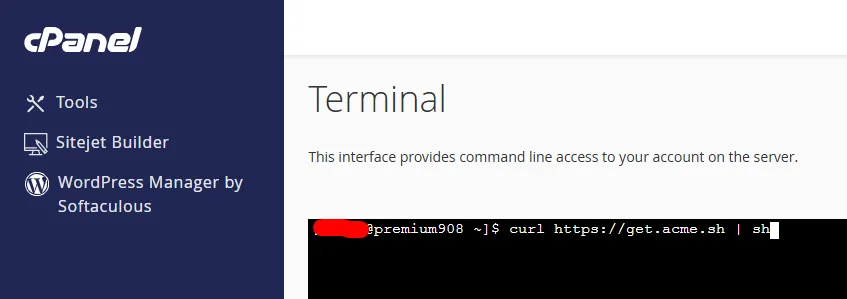
Then reload your environment:
source ~/.bashrc
Step 3: Verify Installation
Check if acme.sh is installed:
ls -a && pwd
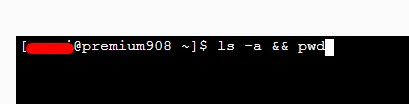
You should see a .acme.sh folder in your home directory.
Step 4: Generate SSL Certificate
Run the following command:
~/.acme.sh/acme.sh –issue -d yourdomain.com -d www.yourdomain.com -w /home/username/public_html/ –server letsencrypt

What this does:
- Verifies your domain
- Generates SSL certificate using Let’s Encrypt
- Stores files in .acme.sh directory
Step 5: Install SSL in cPanel
Deploy the certificate automatically:
~/.acme.sh/acme.sh –deploy -d yourdomain.com –deploy-hook cpanel_uapi
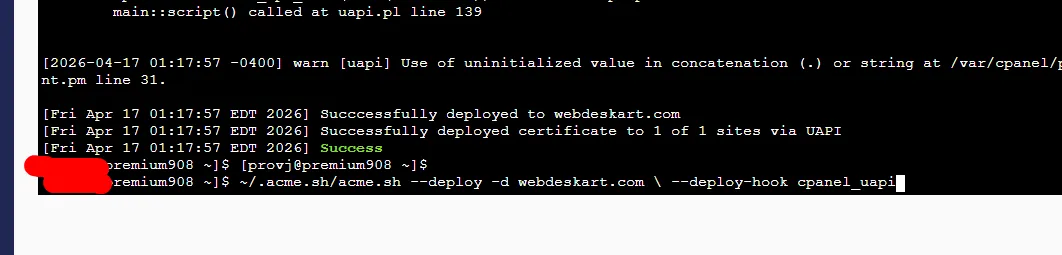
This installs:
- SSL Certificate (CRT)
- Private Key
- CA Bundle
Final Check
Visit your site: https://yourdomain.com You should now see a secure lock.
Optional: Single Command Setup
You can issue and install SSL in one line:
~/.acme.sh/acme.sh –issue -d yourdomain.com -d www.yourdomain.com -w /home/username/public_html/ –server letsencrypt && ~/.acme.sh/acme.sh –deploy -d yourdomain.com –deploy-hook cpanel_uapi
Common Issues & Fixes
1. Incorrect webroot path
- Use correct path:
2. Domain not resolving
- Check DNS settings in Namecheap
3. Port 80 blocked
- Disable firewall or contact hosting support
4. SSL installed but not working
- Add HTTPS redirect
- Clear browser cache
Manual SSL installation using SSH may look technical, but it’s fast, reliable, and gives you full control over your certificates. Once set up, renewal is automatic—no extra work needed.